How EthicsPortal works #
Deployment workflow #
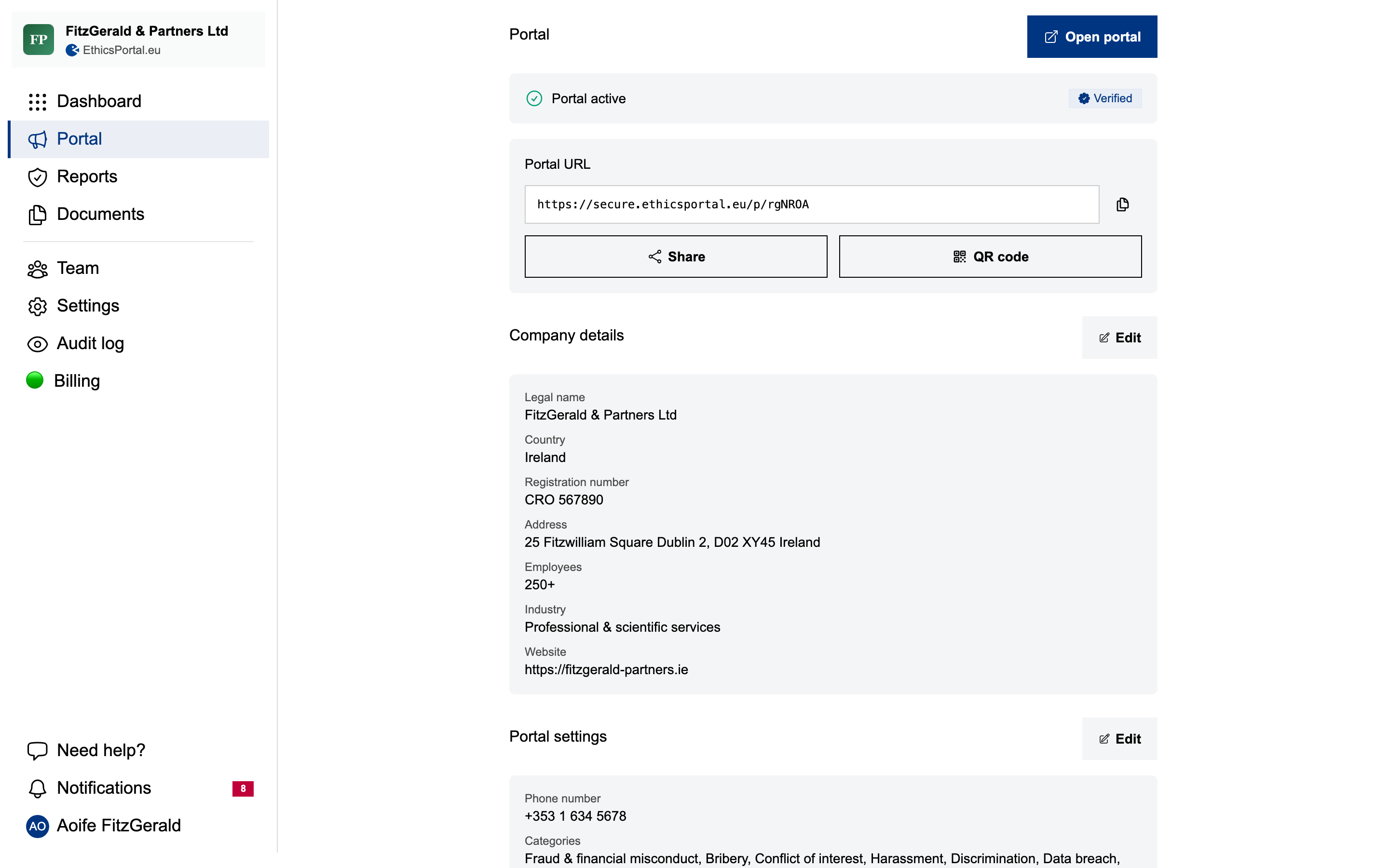
1. Configure your whistleblowing channel #
Set up the organization account, then configure:
- Organization name and logo: your whistleblowing channel, your identity
- Report categories: fraud, harassment, safety, or define your own
- Data retention period: 12, 24, 36, 48, or 60 months, then auto-deleted
Your whistleblowing channel is assigned a unique URL as soon as configuration is saved.
2. Share the link #
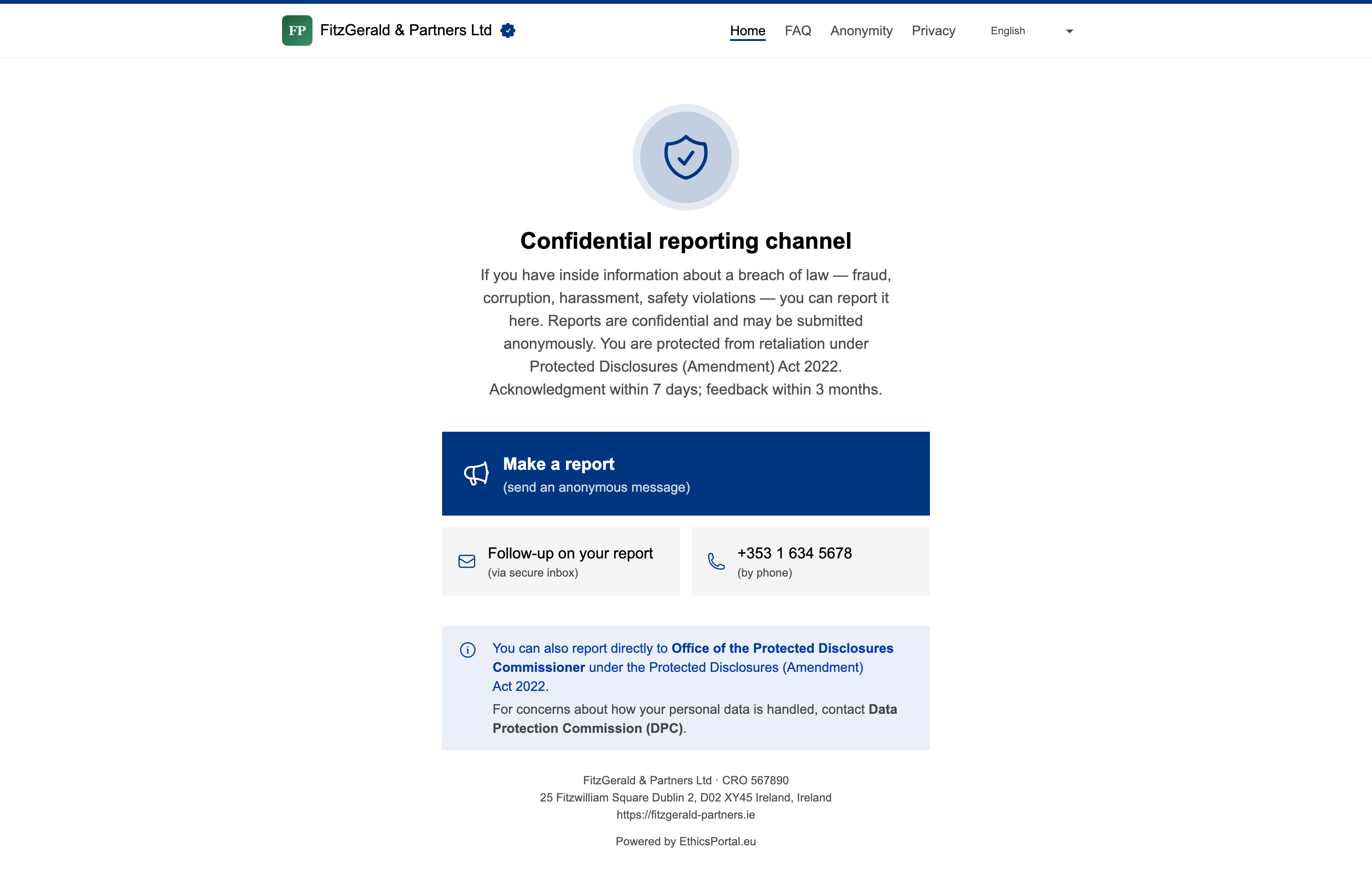
Every whistleblowing channel gets a shareable link and a QR code. Put the QR code in break rooms, bathroom stalls, the employee handbook, onboarding packs. Employees access it from any browser. No app, account, or company network is required.
See EthicsPortal’s own whistleblowing channel in production: secure.ethicsportal.eu/p/R8HXGNHO .
3. Operate the case workflow #
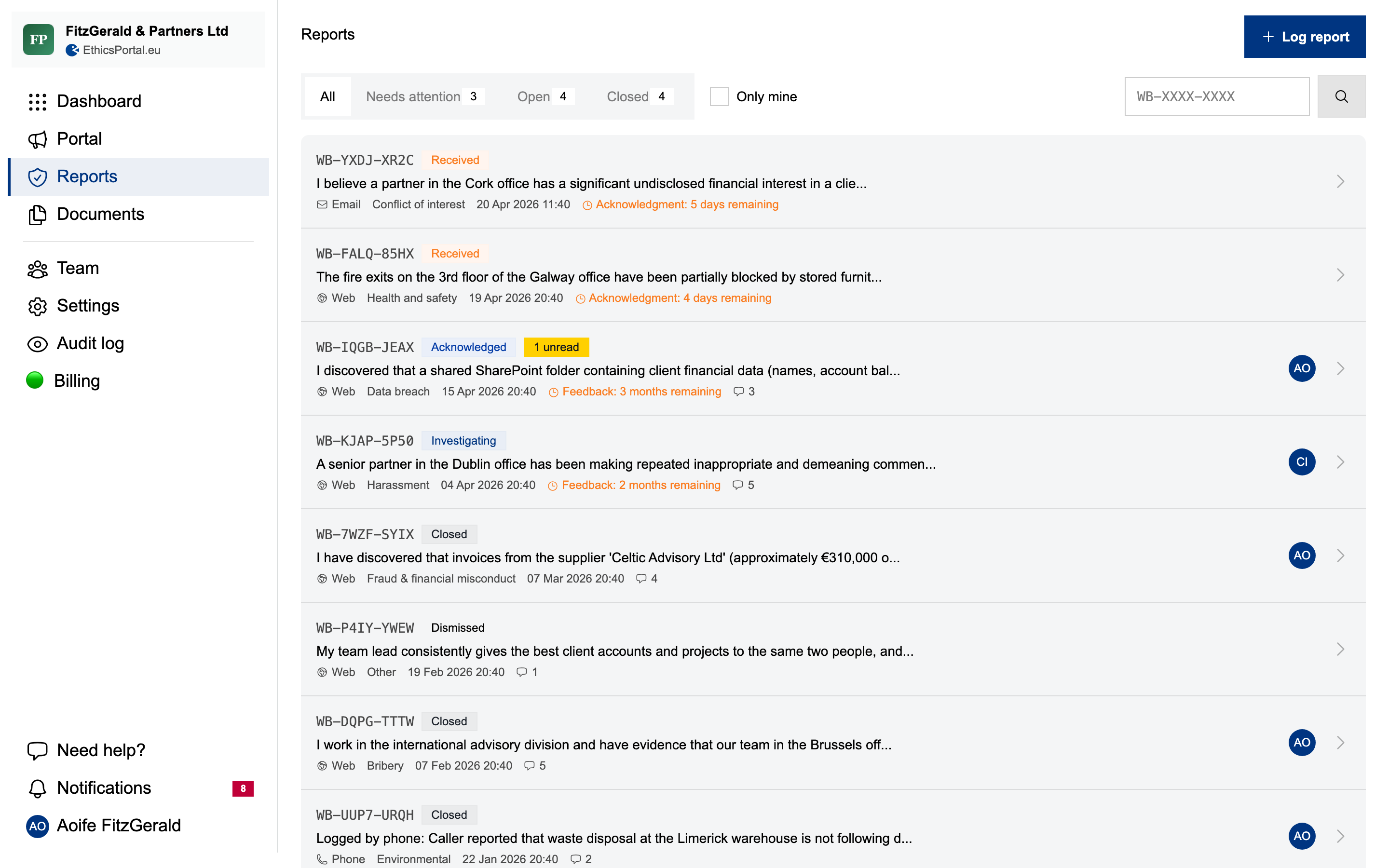
When a report comes in, you get an email notification. From the dashboard, manage every case in one view:
- Assign and triage: route cases to the right handler and set a priority (low, normal, high, urgent) at assessment
- Filter and search: find cases by status, category, or deadline
- Log external reports: received a report by phone, email, or in person? Create it manually so everything lives in one place
Open a case to handle it end-to-end:
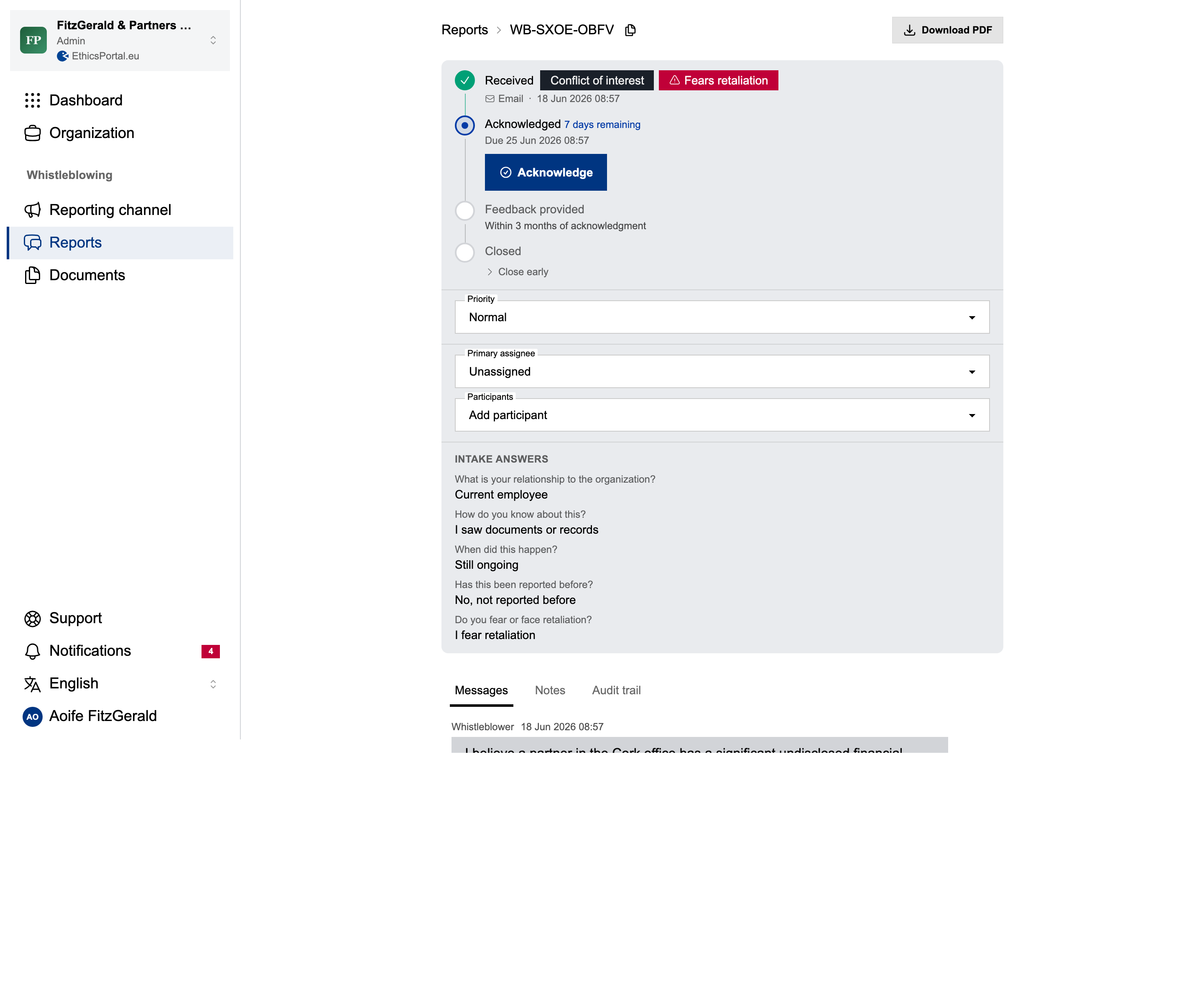
- Read the full report: description, category, structured intake answers, and uploaded files. Reports flagging a retaliation concern carry a prominent urgency badge (Directive Art. 19)
- Acknowledge receipt: the Directive requires this within 7 days. EthicsPortal tracks the deadline and flags overdue cases automatically
- Communicate with the reporter: secure two-way messaging via access code. The reporter stays anonymous, your handler names are never revealed
- Provide feedback: the Directive requires this within 3 months. Tracked automatically
- Add internal notes: notes invisible to the reporter, visible to your team
- Export to PDF: generate a complete case file for legal review, auditors, or compliance documentation
What reporters experience #
The reporter’s experience matters because it determines whether people actually use the channel.
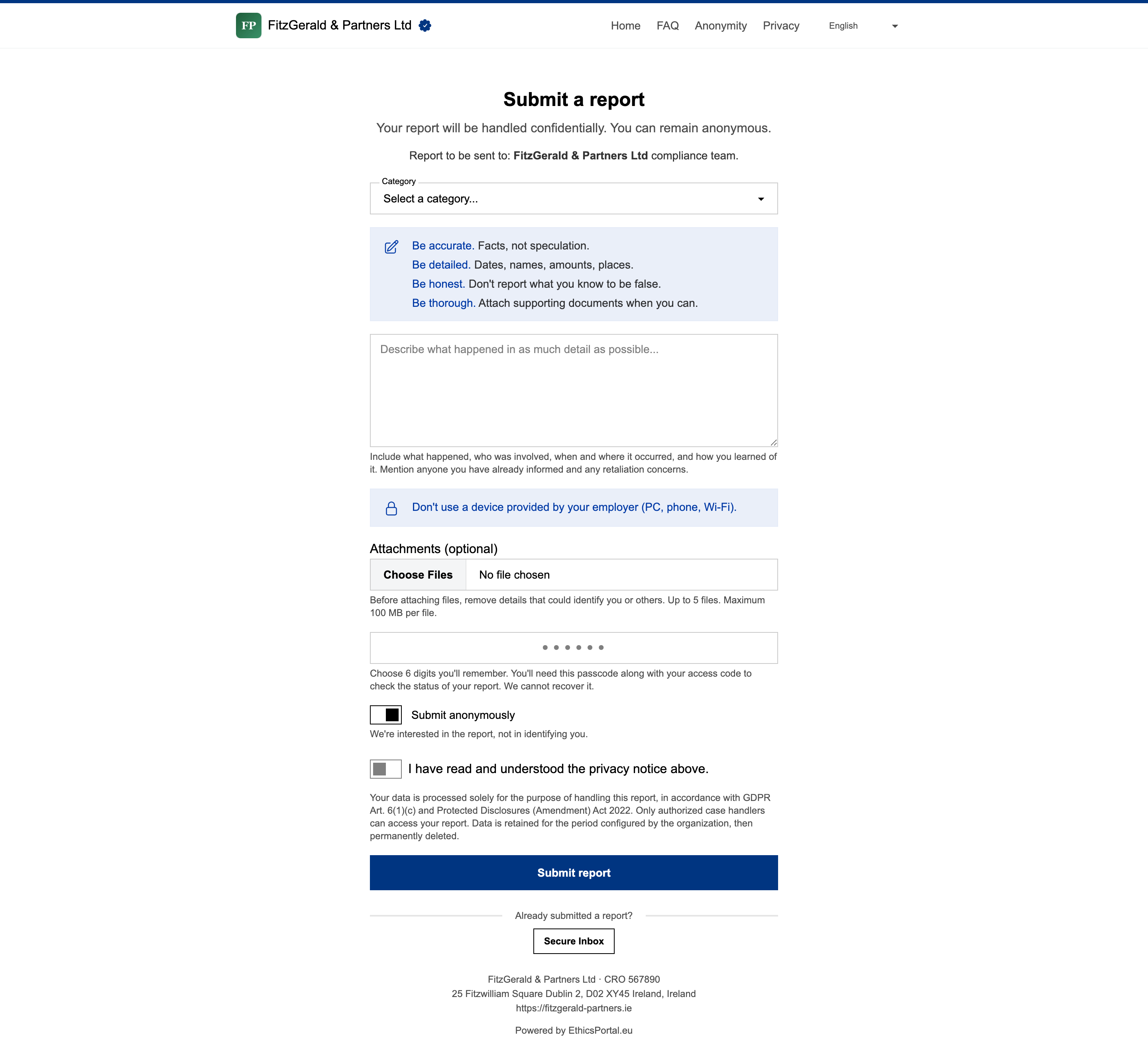
- No account, no app, no login. Just a browser on any device, including a personal phone on mobile data
- Fully anonymous by default. No reporter IP addresses stored with reports or in application logs. File metadata (EXIF, GPS, author) stripped automatically before storage
- Optional identity disclosure. Reporters can share their name if they choose to. It is never required
- Optional guided questions. A short, skippable set of Directive-aligned questions — relationship to the organization (Art. 4), how they know, when it happened, whether it was reported before, and whether they fear retaliation (Art. 19) — helps handlers triage. Every question is optional, so anonymity is never compromised by a required answer
- Two-factor case access. The reporter chooses a 6-digit passcode at submission and receives a Case ID (
WB-XXXX-XXXX). Both are required to check back for updates and respond to handler messages - Handler names are never shown. The reporter sees “Case handler” and nothing more
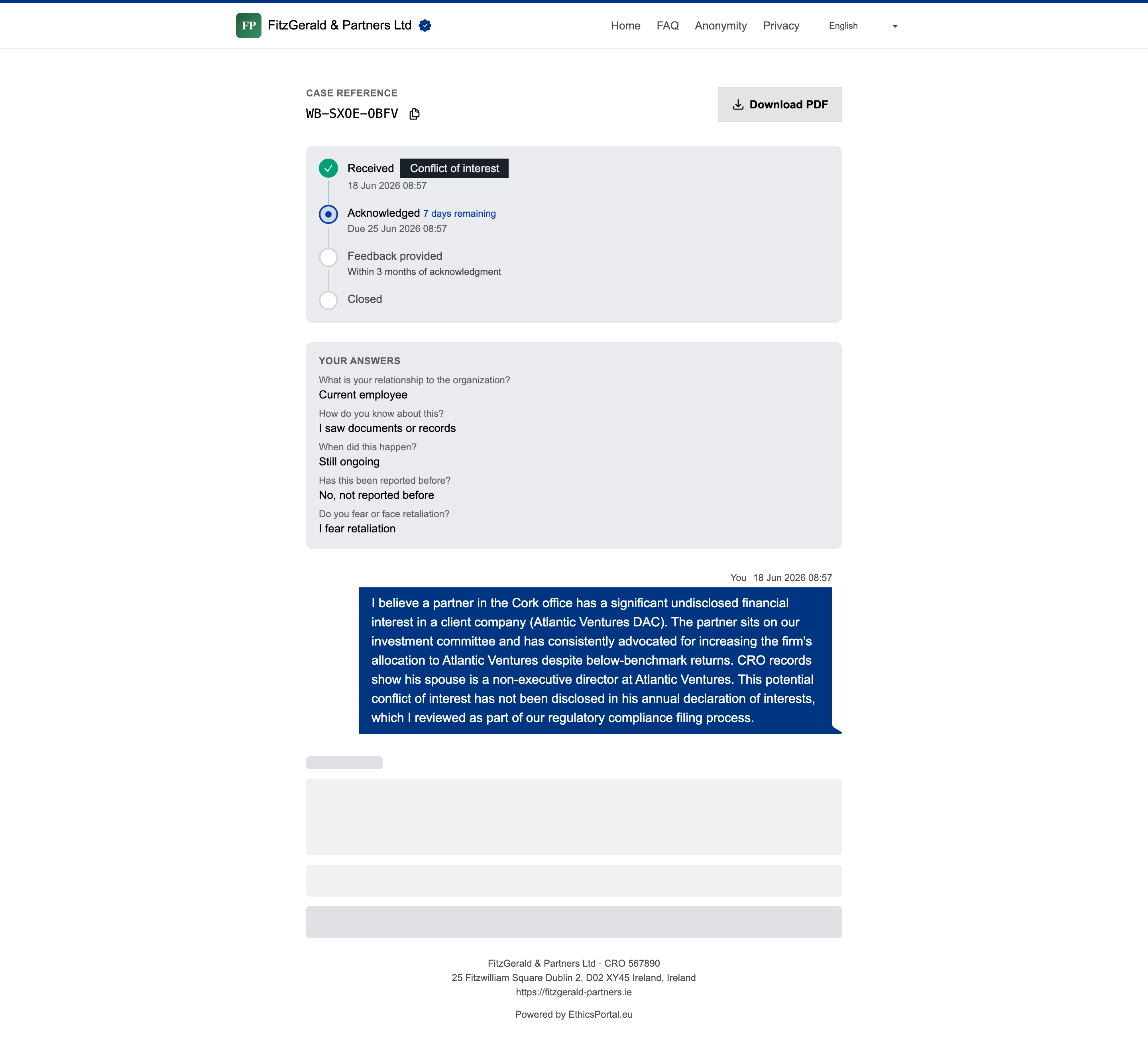
When reporters return to check their case, they enter their Case ID and 6-digit passcode and see only what they need: status, handler messages, and any files they uploaded. Handler identities stay hidden behind a generic “Case handler” label.
What’s under the hood #
Every technical decision serves one purpose: keeping you compliant and your reporters protected.
- Encrypted at rest. Report text, reporter details and messages are encrypted in the database, and attached files are encrypted with a separate key per file
- Virus scanning. All uploaded files are scanned for malware server-side. Infected files are removed automatically
- Append-only audit trail. Every action is logged. Entries cannot be modified after creation. Auditors get who did what, when
- Two-factor authentication. TOTP-based 2FA for handler and admin accounts, via any standard authenticator app. Reporters authenticate with two factors as well: Case ID plus a reporter-chosen 6-digit passcode (stored only as a bcrypt digest)
- Automatic deadline tracking. 7-day acknowledgment and 3-month feedback deadlines with overdue notifications
- EU-hosted report data. Core report data is stored on Hetzner servers in Nuremberg, Germany, with a backup copy of file attachments in Falkenstein, Germany. The marketing site is delivered via Cloudflare (CDN, United States); the reporting and handler portals are not. Separate public-site processing is disclosed in the Privacy Notice
- SCIM 2.0 provisioning. Connect your identity provider — Okta, Microsoft Entra ID, or any SCIM 2.0 directory — to provision case handlers automatically and deprovision them the moment they leave your organization, closing their access to reports. Generate and rotate the connection token in organization settings and set the role new users receive
- SAML 2.0 single sign-on (SSO). Let your team authenticate through your identity provider — Okta, Microsoft Entra ID, or any SAML 2.0 provider. Configured per organization across one or more email domains, with optional enforcement (require SSO for those domains) and optional just-in-time provisioning of members on first sign-in
- No tracking. No analytics, no tracking cookies, no third-party scripts on the whistleblowing channel
For the article-by-article map of how each feature satisfies the Directive, see the Directive 2019/1937 coverage map . For interpretive positions on the Directive’s ambiguous provisions, see the Directive 2019/1937 interpretations .
Last updated: