 Yaroslav Shmarov
· Published
Whistleblowing software penetration test: what to check #
Most security questionnaires ask one question about penetration testing: “Is the application tested?” Almost every vendor answers yes. The answer only has value when you can see who tested, when, what was in scope, and whether the findings were fixed.
This guide explains how to read that evidence for a whistleblowing channel. It does not replace your security questionnaire. It covers the points where a whistleblowing tool differs from other business software.
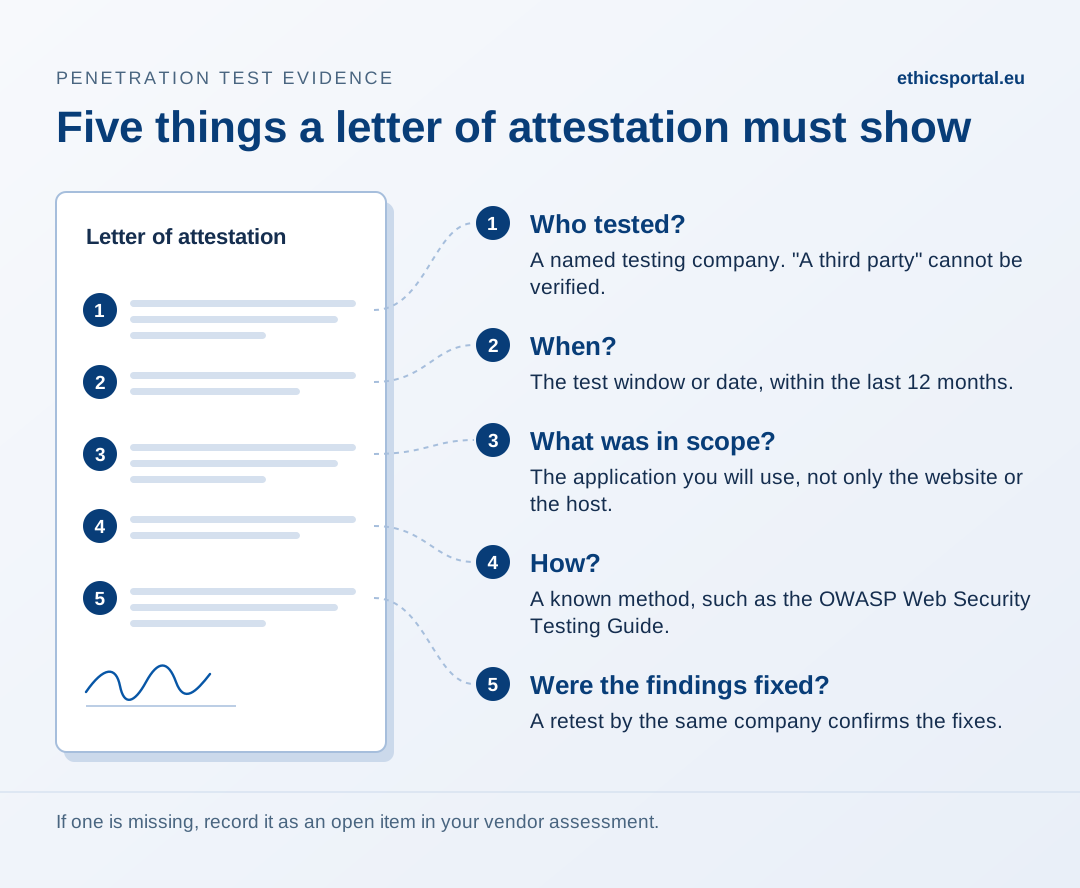
Ask for the letter of attestation #
Vendors rarely share the full test report. It describes weaknesses in detail, and it is usually confidential. The normal document for customers is a letter of attestation: a signed statement from the testing company that the test happened and that the findings were handled.
A useful letter, or the summary a vendor publishes, answers five questions:
- Who tested? A named company. “An independent auditor” or “a third party” without a name cannot be verified.
- When? The test window or the date of the letter. Most security questionnaires expect a test in the last 12 months.
- What was in scope? The letter must name the application you will use. A test of the marketing website, or of the hosting provider’s network, says nothing about the whistleblowing channel.
- How was it tested? A recognised method, such as the OWASP Web Security Testing Guide. Testing with access to the source code (white-box) finds more than testing from outside only.
- Were the findings fixed? A list of findings proves little. A retest by the same company proves that the fixes work.
If a vendor says “we test regularly” but cannot name the tester or the date, record it as no evidence.
The whistleblowing risks the test must cover #
A general web application test checks for common weaknesses. A whistleblowing channel has some risks that a tester only finds if they test for them. Ask the vendor whether the scope included these:
- Access between customers. On a shared platform, a user of one organisation must never open another organisation’s reports. This needs testing with accounts in two organisations.
- Access between roles. A read-only role must not act on a case. A case handler must not open cases that are not assigned to them. This needs testing at each role, with accounts at each level.
- The reporter’s follow-up access. Reporters usually return with a case number and a password. Ask how the test checked guessing of passwords and case numbers, and the limits on failed attempts.
- Uploaded files. Photos and documents carry hidden data: GPS position, device, the author’s name. Ask whether the test checked that this data is removed, and that it cannot be restored from the stored file.
- Single sign-on. If handlers sign in through your identity provider, ask whether the sign-in flow and automatic account creation were in scope.
A test that covered only the login page and the network does not answer these questions.
Four checks you can run during a trial #
Some evidence you can collect yourself in less than an hour. Use test data only.
1. File metadata. Take a phone photo with location services on. Submit it as a reporter. Download it as a case handler and open it in a local metadata viewer such as ExifTool. Location, device model and date should be gone. Repeat with a PDF exported from Word: the author’s name should be gone. Do not use an online viewer for this check. It uploads the file to another company.
2. Third-party scripts on the reporting form. Open the reporting form in your browser, open the developer tools (F12), and select the Network tab. Reload the page. Every request to another company’s domain, for example analytics, chat widgets or fonts, can record the reporter’s IP address and browser.
3. Notification emails. Submit a test report and read the email the case handler receives. It should say that a new report exists. It should not contain the report text or anything that identifies the reporter. Email systems keep copies.
4. Failed sign-in attempts. Open the reporter’s follow-up page and enter a wrong password fifteen times. The system should block further attempts for some minutes. If it accepts unlimited attempts, a short password can be guessed.
Warning signs #
- The vendor shows the hosting provider’s certificate or test as its own.
- The test date is older than 12 months, and no new test is planned.
- The scope does not name the application.
- The vendor refuses to share even a letter of attestation.
- Findings are listed, but there is no retest.
None of these proves that the software is insecure. Each one means that you have a claim without evidence. Record it as an open point in your vendor assessment.
EthicsPortal’s evidence #
EthicsPortal publishes the summary of its independent penetration test on the Trust page, with the tester, test window, method and remediation. The letter of attestation is available on request. Our own testing is recorded separately on Self-conducted security testing.