 Yaroslav Shmarov
· Published
DeepSec 2026: how software can reveal a whistleblower #
On 20 November 2026, Yaroslav Shmarov of EthicsPortal presented “How to Build a Whistleblowing Tool that Protects the Reporter” at DeepSec, the In-Depth Security Conference in Vienna. The audience was security practitioners.
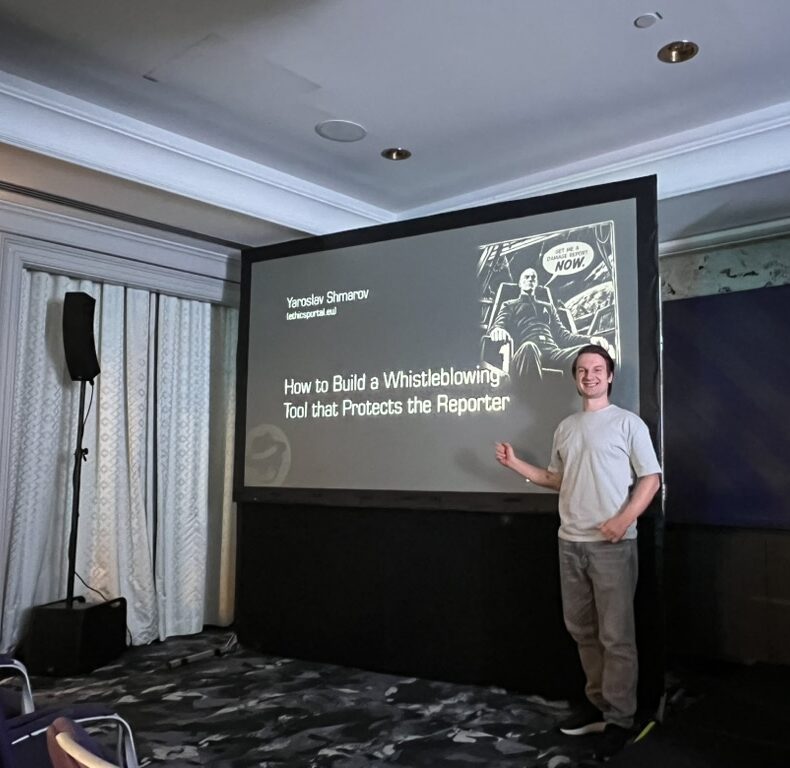
The talk followed one whistleblower report through seven stops, from the form to deletion. At each stop, a small default can reveal the reporter. This post gives the short version of each stop, with the solution.
One line in a reply #
The talk opened with a polite reply from a case handler to a reporter. The second line of the reply contained an image tag. Many text formatting helpers keep image tags by default. When the reporter opens the reply, their browser loads the image from the handler’s server, and that server logs the reporter’s IP address. No exploit is needed.
Solution: escape everything one side writes before the other side reads it.
The pattern repeats through the talk. Most of these gotchas are in defaults: of a framework, a server, a file format or a mail system. The application code can be correct, and the reporter can still be exposed.
Who wants to know the reporter’s name? #
In most security work, the attacker is outside the organisation. In whistleblowing, the person who wants the name is often inside: the manager named in the report, a handler who wants to help that manager, an administrator, the software operator, or a court.
Article 16 of Directive 2019/1937 protects the reporter’s identity and “any other information from which the identity of the reporting person may be directly or indirectly deduced.” For software, that means an IP address, the time of a visit, the author field of a file and a voice.
In 2022, Italy’s data protection authority fined a hospital in Perugia €40,000. One of the reasons: the hospital’s firewall logged the IP address and username of every visitor to its whistleblowing application. The application is only one layer. The published enforcement cases show how ordinary these routes are.
1. The form #
Many forms have an “anonymous” switch. The reporter selects it, and the name fields disappear. If the switch only hides the fields, the browser still sends the name to the server.
Solution: the server removes identity fields from an anonymous report, whatever the browser sends.
Third-party scripts on the form are the second risk. A CAPTCHA service, an analytics tag or a chat widget tells another company who opened the form, and when. A reporting form should load nothing from other companies.
2. The network #
Before the application sees a request, several layers can record the reporter’s IP address: a proxy, the web server log, a spam filter, a rate limiter, a CDN.
Solution: count every layer. Keep each log short or turn it off. For rate limits, store a keyed hash that expires after minutes, never the IP address. Each extra service in front of the form is one more company that sees the visit.
3. Files and voice #
Photos can hold a GPS position. PDFs hold the author’s name. Two gotchas:
- The wrong file type. A photo uploaded with the wrong type can skip the cleaning step. Solution: check the real file type, not the type the browser declares.
- The old version inside. Tools such as ExifTool can remove the author from a PDF, and a metadata viewer then shows nothing. But the earlier version stays inside the file, and a plain text search still finds the name. ExifTool warns about this itself. Solution: rebuild the file after cleaning it (for example with qpdf), and check that only one version is left.
Voice messages have the same problem in a different form. A pitch shift makes a voice sound anonymous, and one step can reverse it. In one test, the similarity between the disguised voice and the original voice went from 0.53 to 0.97 after that step. Accent, rhythm and word choice stay in the recording too. A pitch shift is a disguise, and a tool should describe it as one. The details are in Voice distortion does not keep whistleblowers anonymous.
4. Coming back to the case #
A reporter returns to the case with a case ID and a secret, without an account, because an account is an identity. The secret must be long and random. A short PIN invites birthdays. A reset route is a second way into the case, so a secure tool offers none.
Inside the conversation, two more details can reveal the reporter:
- Read receipts. “Read 13:37” looks harmless. If one employee was away from their desk at 13:37, it is a name. Solution: show the date only.
- Automatic email replies. An out-of-office reply can send a sign-in code to a shared mailbox. Solution: mark system emails as automatic with the standard header and with the Exchange header, so mail servers do not reply to them.
5. The case handler #
A handler sees only the cases assigned to them. The reporter’s name is not in the page until the handler asks for it. When they ask, the audit log records who asked, for which case, and when.
If the name is in the page and only hidden with CSS, the browser already has it, and so does anyone who opens the developer tools.
6. The vendor #
Encrypted storage protects against a stolen copy of the database and a curious hosting provider. If a vendor says “end-to-end encrypted”, ask who holds the key.
Every sub-processor sees something. One common gap: a request that fails before the application’s privacy filter runs can still reach the error monitoring service, with the report text in it. Remove report fields before anything else runs.
The last risk at this stop is AI. Several vendors sell AI case briefs, AI summaries and AI intake on their own product pages. In May 2026, seven platforms sold in the EU did this, and six did not say which AI provider receives the reports. An AI summary is a copy of the report at one more provider, and the reporter never agreed to it. EthicsPortal sends no report content to AI. This is in our DPA §6.10. The evidence is in Whistleblower reports do not belong inside an LLM.
7. Backups and deletion #
A deleted file can stay in old storage versions and in backups. Solution: delete every copy, and test a restore regularly, so the backup is known to contain what it should and nothing more.
Four questions for any vendor #
The talk ended with four questions a buyer can put to any whistleblowing vendor:
- Who logs the reporter’s IP address, and for how long?
- Can anyone see the reporter’s name without a logged action?
- Who else sees report content? Does an AI system see it?
- After deletion, which copies remain, and for how long?
Ask for evidence: configuration, tests and retention periods. Longer versions are in Eight questions for your whistleblowing vendor and Whistleblowing software penetration test: what to check.
DeepSec recorded the talk and will publish the recording. We will add the link here. Thank you to the DeepSec team, and to everyone who came to the talk.